










































How to Choose a Cost-Effective Gaming Computer?
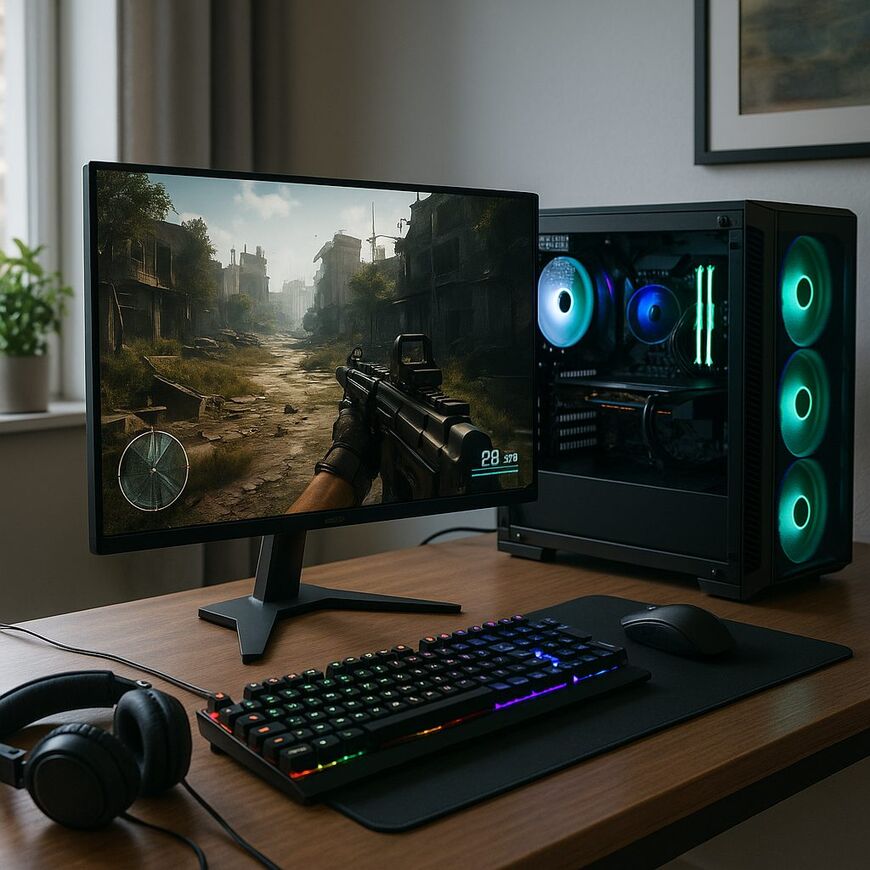
How to Choose a Gaming Computer at an Affordable Price?
Before purchasing a gaming computer, carefully define your budget. The budget will dictate the types of components you can choose and the performance you will receive. Those playing graphically intensive games will need to invest in higher-quality components. If you primarily play simpler games, you can save quite a bit of money.
It’s essential to focus on components that significantly enhance performance. The CPU and graphics card are among the most critical components. Investing wisely in a powerful processor and a quality graphics card can elevate your gaming experience to the next level.
If your budget is limited, start with basic components and upgrade in the future. For example, a quality gaming monitor like the Nitro ED0 31.5" Curved can enhance your experience at a reasonable price of ₪989. This investment can greatly improve your gaming experience without straining your wallet.
Types of Games and Required Performance Levels
The requirements from the computer are highly dependent on the type of game. Strategy games necessitate a strong CPU, while action games require an advanced graphics card. If you are playing games like "Cyberpunk 2077," investing in a next-gen graphics card is essential, but for simpler games like "Among Us," a basic graphics card will suffice.
Multiplayer games such as "Fortnite" or "Apex Legends" require a computer with a good combination of CPU and graphics card. For accurate information, always check the game’s system requirements to understand what hardware you need.
Recommended Hardware for a Gaming Computer
When choosing hardware for a gaming computer, there are several key components to consider:
Processor (CPU)
The processor is the heart of any computer. Processors such as the Intel Core i5 or AMD Ryzen 5 are sufficient for most modern games, but if the budget allows, consider more advanced models like the Intel Core i7 or AMD Ryzen 7.
More advanced processors can enhance performance in games that require fast data processing, such as open-world games or complex simulation games. If you plan to stream your gameplay, a strong processor can improve the quality of the stream.
Graphics Card (GPU)
The graphics card is one of the most critical components for gamers. Cards from the NVIDIA RTX or AMD RX series provide strong performance with support for advanced technologies such as Ray Tracing and advanced memory compression.
Next-gen graphics cards allow you to play games at high graphical settings and 4K resolutions, ensuring a richer and more realistic gaming experience. It’s also worth checking for support of technologies like G-Sync or FreeSync, which improve game smoothness.
Memory (RAM)
Today, 16GB of RAM is considered the standard for gamers. For advanced gamers, 32GB can provide a significant advantage, especially if you use video editing or graphics software alongside gaming.
Having sufficient RAM can prevent stuttering and lag during complex games or when running multiple applications simultaneously. Pay attention to memory speed as well, with speeds of 3200MHz or higher recommended for modern gaming.
Storage
Fast storage like SSD can significantly improve game load times and system response speed. Consider combining a small SSD for the operating system and essential games with a larger HDD for other files.
Motherboard
The motherboard is the component that connects all other components together. It’s important to choose a motherboard that is compatible with the processor and graphics card you selected, and that has enough ports for future expansions. Emphasis should also be placed on the build quality and cooling of the motherboard.
Cooling
Effective cooling is important for maintaining high performance over time and preventing overheating. There are air cooling systems and water cooling systems, each offering different advantages and disadvantages. It’s crucial to choose a system that meets your needs and budget.
Is It Possible to Buy a Gaming Computer for 4000 Shekels?
In the world of gaming, computers can reach high prices, but there are also solutions available at lower budgets. With a budget of 4000 shekels, it’s possible to build a basic gaming computer that supports less demanding games. This computer may include a processor like the Intel Core i3 or AMD Ryzen 3, a graphics card like the NVIDIA GTX 1650, and 8GB of RAM.
To ensure such a computer provides the best performance possible within the budget, it’s advisable to check the option of purchasing used components or upgrading existing ones. Good deals on used components in good condition can often be found.
It's important to remember that hardware quality is not just a function of price, but also of how well it suits your personal needs. A budget gaming computer can provide an excellent gaming experience if it's tailored correctly to your needs and the games you play.
Price Comparison Between Various Stores in Israel
When searching for a gaming computer at a fair price, it’s important to compare prices between different stores in Israel. Be sure to check the websites of major electronics stores, as well as smaller local shops that may offer competitive prices.
To conduct an effective comparison, utilize price comparison websites that provide updated information on models and prices. Additionally, pay attention to the warranty and service terms. Websites like Zap and Kama offer price comparisons among dozens of stores, helping you find the best deal.
Beyond just the price, it’s also crucial to examine the store's return policy and warranty. Some stores may offer better warranty terms, which can be particularly important when purchasing expensive components like a graphics card or processor.
Guide to Buying a Used Gaming Computer
Buying a used gaming computer can be a great way to save money, but it’s important to check the condition of the internal hardware, such as the processor, graphics card, and fans. Additionally, verify the computer’s usage history and ensure you have all relevant documents.
It's advisable to check the computer in person before making a purchase, ensuring there are no overheating issues or unusual noises, and ask the seller about any repairs or upgrades that have been made. If possible, also test the computer with games you know to ensure it meets your requirements.
Furthermore, verify that the computer meets your needs regarding additional features, such as the number of USB ports, Wi-Fi support, and future expansion options. Buying a used computer can be very rewarding but requires meticulous checking and prior research.
Accessories to Enhance Your Gaming Experience
To enhance your gaming experience, it's essential to consider using accessories. A gaming keyboard and mouse, a gaming chair, a monitor with a high refresh rate, and headphones with a microphone are some of the accessories that can improve your gaming experience.
A mechanical keyboard with backlighting can improve usability and provide a more precise gaming experience. A customizable gaming mouse will help enhance performance in competitive games. A quality gaming chair can improve comfort and prevent back pain after long hours of gaming.
High-quality gaming headphones can add a new dimension to your gaming experience, especially in games with rich soundtracks or multiplayer games where communication with teammates is crucial. It's advisable to choose headphones with a quality microphone and noise cancellation.
So How Do You Choose the Perfect Gaming Computer for You?
Choosing the perfect gaming computer requires an understanding of your personal needs as well as your budget. Set a realistic budget, select key components like a quality graphics card and good monitor, check reviews, and compare prices across different stores. A store like Gamby.co.il offers a wide range of products and accessories suitable for all levels of gaming and it's worth checking the available offers.
It’s also important to consider the possibility of upgrading the computer in the future. Components like graphics cards and RAM can be relatively easily upgraded, allowing you to continue improving your computer's performance according to your evolving needs.
Ultimately, choosing a gaming computer is a personal process dependent on your needs, budget, and preferences. By conducting thorough and careful research, you can find the most suitable computer that will provide you with an excellent gaming experience at the best possible price.


