



































Comparing Laptops: How to Choose the Right Computer for You?
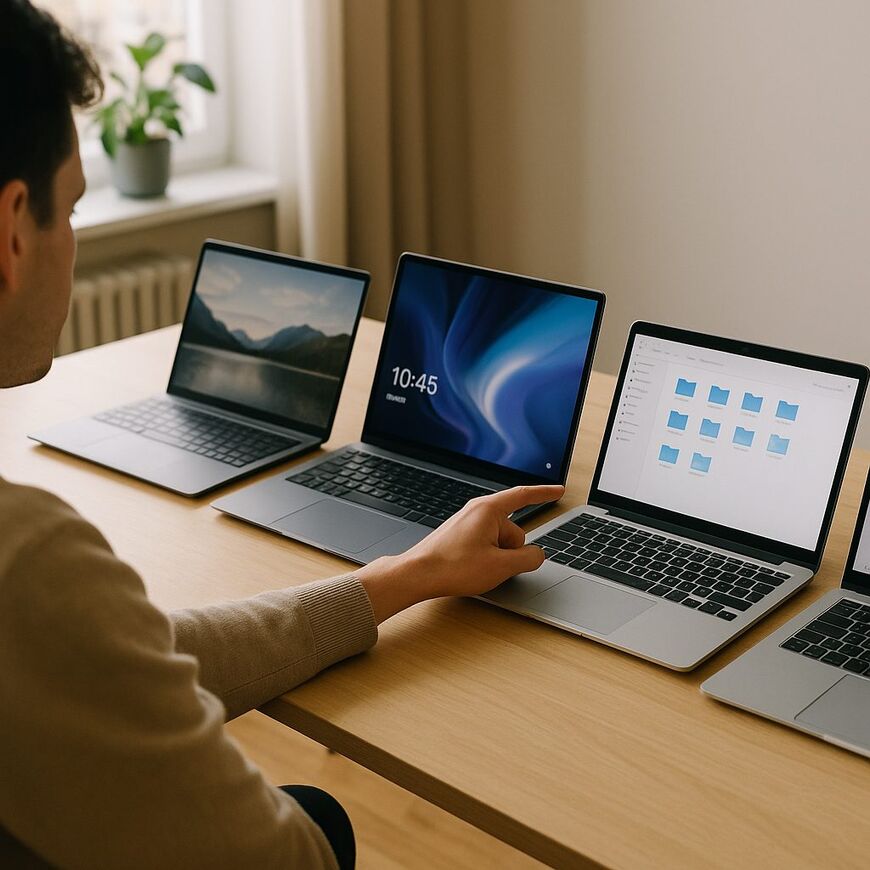
Types of Laptops: Which One is Right for You?
Choosing a laptop can be a challenge, especially when trying to find the perfect match for your personal needs. It’s essential to understand what your requirements are and choose the most suitable model based on that, ensuring the laptop will serve you optimally.
Laptops for General Users
For browsing the internet, using Office applications, and watching content — standard laptops provide an efficient solution. They come with mid-range processors and basic RAM, and their prices are affordable. They are ideal for students and remote workers. To maintain a low temperature and prevent overheating, it’s recommended to use a cooling pad to extend the laptop's lifespan.
Gaming Laptops
If you're focused on heavy gaming, gaming laptops are specifically designed for this — featuring advanced graphics cards, fast processors, and ample memory. These machines are built to run demanding games and graphics software, and come equipped with upgraded fans to maintain performance during extended use.
Business Laptops
If you’re a manager or a business professional on the go, business laptops are the right choice. They are particularly durable, offer enhanced security, and are compatible with business software. These models are equipped with powerful batteries and various connectivity options, allowing for uninterrupted workflow.
Important Features to Consider: What Should You Check?
When choosing a laptop, there are key features worth paying attention to, to ensure a successful purchase that meets your needs.
Processor
The laptop’s processor directly affects its performance. For general use, processors like Intel Core i5 or AMD Ryzen 5 will suffice. For gamers and professional users, it’s better to opt for a more powerful processor such as Intel Core i7 or Ryzen 7 for improved graphics performance.
RAM
The ability of the laptop to run multiple programs simultaneously depends on the amount of RAM. Currently, 8GB is the standard, but for professionals and gamers, it’s advisable to consider at least 16GB to handle demanding software and complex games.
Storage
SSD storage offers higher response speeds compared to HDD. Choosing an SSD with a minimum capacity of 256GB allows for quick access to data and applications, enhancing your daily user experience.
Size and Weight
For those who require high portability, a lightweight and slim laptop should be chosen. Screens typically range from 13 to 17 inches. Smaller screens are suitable for travel, while larger ones provide a better viewing experience for graphics and content consumption.
Accessories and Add-ons
Using accessories like a vertical stand with a cooler can improve work comfort and laptop performance, especially in crowded environments, by minimizing device overheating.
Comparing Laptops Based on Specific Uses
When selecting a laptop, it’s important to match it to your intended usage category. Whether you are a student, employee, gamer, or business person, each has unique needs worth considering.
For Studies
Students need a compact laptop that’s easy to carry and offers quick access to study materials. Accessories like protective carrying cases can help keep the laptop in good condition, especially when moving between classes and libraries.
Office Work
For office workers, a battery that lasts a full workday and advanced connectivity is essential. Laptops with larger screens and comfortable keyboards can ease document and spreadsheet tasks, especially when switching between multiple software applications.
Gaming
For gaming enthusiasts, laptops with advanced graphics cards, powerful processors, and ample memory are essential. External fans can help maintain system cooling during intense gaming sessions, allowing for a smooth gaming experience.
Business
Business professionals will appreciate laptops with high security and support for corporate networks. These devices offer remote management and easy maintenance, making the workspace more efficient and secure.
A Guide to Buying a Budget Laptop
While a limited budget may complicate laptop selection, it is still possible to find good models if you know what to focus on. First, choose processors like Intel Core i3 or AMD Ryzen 3, which provide decent performance for basic tasks such as browsing and document work.
8GB of RAM is usually sufficient, but for working with multiple applications, consider upgrading to 16GB, depending on your budget.
The weight and screen size affect the laptop's portability. Models sized 14-15 inches are suitable for daily use without being cumbersome. Additionally, it's important to check battery life to avoid frequent charging, especially when you’re on the go.
A 256GB SSD will provide better response speed than an HDD, particularly when quick access to files and data is required.
Regarding screen quality, a Full HD resolution enhances the viewing experience, especially if you plan to watch movies or work with graphics.
Recommendations for Leading Laptop Brands
Brand selection is an integral part of comparing laptops. Brands like Dell, Lenovo, and HP are considered leaders in the field and offer a range of models for every need and budget.
Dell laptops are known for their build quality, particularly the XPS series, intended for users seeking high performance and premium design. On the other hand, for those looking for a lower-cost option, the Inspiron series can be an excellent solution, emphasizing quality at an accessible price.
Lenovo offers a wide variety of models, including the ThinkPad series, which is renowned for its usability and excellent keyboard. The IdeaPad series targets a broader audience, providing laptops at affordable prices suitable for everyday use, allowing flexibility in choice.
HP also provides numerous solutions, with the Spectre series being suitable for those seeking advanced design and high performance, while the Pavilion series is better suited for home users looking for a quality laptop at a reasonable price, ensuring a pleasant user experience.
When choosing a brand, it’s also worth considering customer service and support, as they often provide added security in the form of warranties and technical support, ensuring peace of mind.
The Impact of New Technologies on Laptop Selection
Technological advancements significantly influence laptop comparison and selection. New technologies such as next-gen processors, touch screens, and higher resolutions greatly enhance the user experience.
One of the key technologies that has gained widespread use is OLED technology in screens. Displays using this technology offer richer colors and higher contrast, elevating the viewing experience, especially in environments with varying light, guaranteeing a stunning viewing experience.
Significant advances have also occurred in the processor domain with the introduction of Intel's 11th and 12th generation processors, which offer improved performance and reduced power consumption. These processors allow for running heavy applications and enhance overall laptop performance, ensuring smooth and efficient work.
The latest technology in storage is NVMe SSDs, which provide exceptionally high read and write speeds. This is particularly significant for those working with large files or needing quick responses, ensuring work efficiency.
In the end, it's crucial to understand your personal needs and evaluate which technologies suit you best. For example, if you work in various settings and struggle to find cooling options, you may want to consider purchasing a cooling pad for your laptop to maintain better performance, ensuring uninterrupted work.
Frequently Asked Questions (FAQ)
When comparing laptops, several common questions are frequently asked by buyers. One of the key questions is the difference between SSD and HDD drives.
Differences Between SSD and HDD Drives
SSD (Solid State Drive) drives have no moving parts, making them faster and more reliable than HDDs. They operate with less noise, consume less power, and significantly reduce boot times of the computer. However, SSDs may be more expensive per unit of storage but offer improved performance.
HDD (Hard Disk Drive) drives have moving parts and may be cheaper for storing large amounts of data. They are suitable for those needing significant storage at a reasonable cost but should be considered slower and less reliable due to their mechanical structure.
For users seeking a fast and reliable computer, particularly for tasks like video editing or gaming, SSDs are recommended. Conversely, those needing large storage who do not use heavy software can suffice with HDDs, ensuring cost savings.
Recommendations for Students
Students need a laptop capable of serving for studies, content viewing, and occasionally gaming or basic media editing. It’s advisable to choose a lightweight and compact laptop with a strong battery, making it comfortable for carrying and using throughout the day, ensuring portability and convenience.
For students in design or engineering, considering laptops with dedicated graphics cards and strong processors is recommended to handle graphic and 3D design software. Additionally, laptops with 14-15 inch screens offer a good balance between portability and work comfort, ensuring an optimal user experience.
So, which laptop should you ultimately choose?
When it comes time to decide on the laptop best suited to your personal needs, it’s crucial to consider several key factors: personal requirements, budget, and brand preferences. The recommendation is to first define the intended use of the laptop: Is it for office work, gaming, media editing, or a combination of several areas?
For instance, those primarily working with office software may manage with a more basic laptop, while gamers or graphic processors will require a laptop with an advanced processor and graphics card to ensure optimal performance.
It’s worthwhile to check for complementary products that can enhance the user experience, such as a laptop cooling pad, which helps maintain low temperatures and prevents overheating, ensuring continuous and unobstructed work.
Finally, consider the support and service from the manufacturer or supplier, as well as the warranty offered. Choosing products from Gamby.co.il can ensure convenient and accessible support along with a wide range of options, providing peace of mind and security in your purchase.


