















































How to Smartly Choose a Large Monitor for Your Office
Why Choose a Large Screen for the Office?
Large screens in an office environment offer numerous advantages that enhance productivity. They provide a wide and clear display of content, reducing the need for constant scrolling or switching between different screens. This is especially important when working on multiple projects simultaneously or when there's a need to present reports and presentations at the same time.
Additionally, large screens can ease eye strain. When using a small screen, you often need to lean closer or squint to read the information. A larger display allows for clear and comfortable reading from a distance, lessening the strain on your eyes.
In offices where there is a need to present complex reports or detailed graphs, using a screen size of 27 inches or larger can be a significant advantage. Solutions like the DW220-T desktop stand for two monitors allow for the integration of multiple screens for a more comprehensive work experience.
How to Choose the Right Screen Size for the Office?
The appropriate screen size for the office depends on the size of the room and the distance between the screen and the user. A screen that is too large in a small space may be cumbersome and uncomfortable to use. Conversely, a screen that is too small in a large office may be unsatisfactory and lead to discomfort while working.
As a rule of thumb, it is advisable to select a screen size of at least 24 inches for regular office work. Such screens easily accommodate two windows side by side. If the office is larger or if there is a need for graphic processing or video editing, screens of 27 inches and above would be more suitable.
It is essential to maintain a distance of at least 60 cm between the user and the screen to prevent eye strain. For smaller rooms, smaller screens between 21-24 inches can be considered, which still provide a quality and comfortable display.
Resolution and Its Suitability for Office Needs
The screen resolution is a crucial parameter to consider when purchasing a monitor for the office. Higher resolution offers a sharper and clearer image, which is particularly important when working with small texts or detailed graphics.
While most screens come with Full HD resolution (1080p), it is worth considering purchasing 4K monitors for complex graphic work or high-quality content viewing. Screens with this resolution can provide a richer user experience, although they typically require a higher financial investment.
For instance, in graphic design or video editing, 4K resolution allows for clearer visibility of smaller details. Conversely, for regular office tasks like document writing or browsing the internet, Full HD resolution may be more than sufficient.
Using a product like the COOLER MASTER TM C1 large laptop cooler can improve the computer's performance and help work with high resolutions without overheating the device.
The Impact of Screen Size on Eye Health
The size of the screen can affect eye health, especially when used for several hours every day. Larger screens allow for a broader and clearer display of content, minimizing the need for prolonged eye strain.
However, large screens can also pose challenges if not properly adjusted to eye level and seating angle. Therefore, it is recommended to ensure the screen's position relative to the eyes and that brightness and contrast settings are comfortably adjusted. Consider using technologies to reduce blue light to lessen eye strain, such as a blue light filter or dedicated applications.
Comparing Screens According to Specific Uses
When choosing a large monitor for the office, it is essential to tailor the choice to the intended type of use. For example, for graphic designers, it is important to choose a screen with high resolution and maximum color accuracy. Monitors with IPS panels are regarded as the best for their wide viewing angles and accurate color representation.
For gamers, fast response times and high refresh rates are critical components. Monitors with a refresh rate of at least 120Hz and a response time of 1ms are particularly suited for a smooth gaming experience.
For everyday office use, it’s important to select a screen that offers ample workspace and a high enough resolution for comfortable reading of texts and documents. VA panels can be a good choice due to their high contrast and comfortable viewing.
If you’re looking for a solution for dual screens, consider the DW220-T desktop stand for two 17 to 27-inch screens to enhance your workspace arrangement.
Tips for Upgrading Existing Screens
Upgrading an existing screen can be an excellent way to enhance the user experience without investing in a new monitor. Adjusting the ambient lighting with desk lamps or backlighting can reduce eye strain and improve visibility. Keeping the screen clean can also significantly enhance display quality. It is advisable to use a cleaning kit that includes a spray, brush, and special cloth for thorough cleaning.
Using technological aids, such as a 3D smartphone screen magnifier, can enhance the viewing experience of content and aid in working with small applications. For those interested in additional comfort solutions, considering a foldable wooden laptop desk can improve positioning and angle.
How to Install a Large Screen?
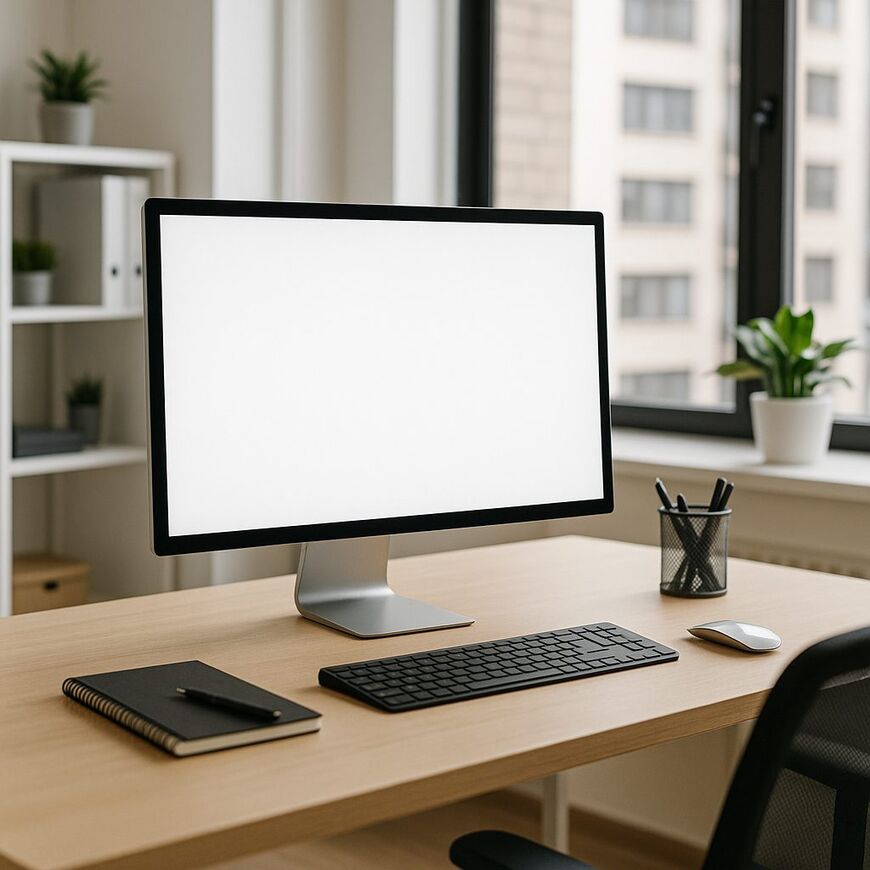
Proper installation of a large screen in the office is critical for comfort and safety in usage. The screen should be placed at eye level to avoid excessive head tilting while working. This is important to prevent back and neck pain.
Large monitors require more desk space, so it’s advisable to measure the available area before purchasing. Consider using a desktop stand for dual screens if multiple displays are needed simultaneously.
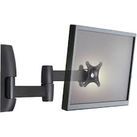
In cases where desk space is limited, wall mounting can be an excellent solution. Ensure that the wall can bear the weight of the screen and that the placement of connections meets your needs. Make sure cables do not hinder movement and allow easy access to all connectors. A cleaning kit will help keep both the screen and cables free from dust and dirt.
Prices and What Influences Them
Large screens come in a wide range of prices, influenced by several key parameters. Understanding what affects cost can help you choose the most suitable monitor for your needs and budget.
Generally, the larger the screen, the more expensive it tends to be. Screens of 32 inches and above can cost significantly more than smaller screens. Advanced screens with OLED or QLED technology are pricier than standard LED displays, offering better picture quality but at a higher cost.
Higher resolution generally correlates with increased prices. 4K screens are particularly popular in offices that require high precision in graphic work. Features such as wireless connectivity, advanced sound specifications, or thin bezels can also add to the monitor's cost.
So How Do You Choose the Best Monitor for Your Office?
When looking for a large screen for the office, it should be tailored to the team's needs. If working on graphic or video editing projects, it’s essential to choose a high-resolution monitor that allows for viewing every detail. For daily activities like browsing the internet or editing documents, a simpler screen may suffice while still being comfortable for your eyes.
Consider also the physical space where the screen will be placed. In small offices, screens that can be mounted on arms or compact stands are an excellent solution. The DW220-T dual monitor stand, suitable for 17 to 27-inch screens, allows for smart space utilization and maximum flexibility.
Of course, budget is also a significant factor. Monitors are available at various price points, so it’s advisable to determine your budget in advance. It’s also recommended to check the manufacturer's warranty and available technical support, ensuring you can receive prompt and reliable service in case of an issue. At Gamby.co.il, you will find a variety of monitors and accessories that can suit your needs.
Parameters such as response time, brightness, and viewing angles are especially important when screen usage requires quick reactions and clear display from any angle. Choose a monitor that enhances your daily work and provides you with a pleasant and professional user experience.


