






















<h1>Smart Home Thermometer: How to Choose the Right Sensor for Your Needs</h1>
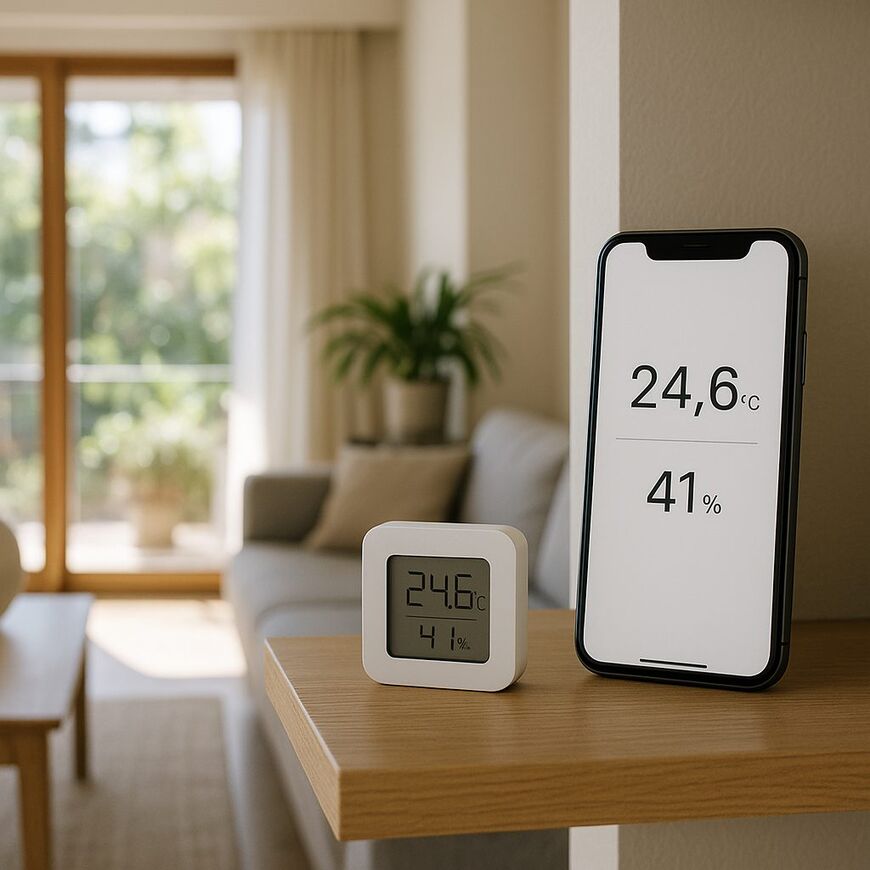
A smart home thermometer is a sensor that measures room conditions and lets you monitor them, for example, using your phone or a smart home system. It does not measure body temperature and is not a substitute for a medical thermometer.
To monitor room conditions, you need a temperature sensor. Humidity measurement, data history and alerts are optional features worth choosing only if you need them. Before buying, check how the device transmits data, whether it requires a hub—a go-between that connects the sensor to an app or smart home system—and whether it is compatible with the app and system you already use. The word “smart” does not guarantee a direct connection to your phone or compatibility with every system.
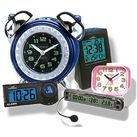
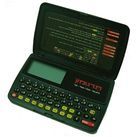
If a display on the device is all you need, you can also consider products that do not connect to a phone, such as this thermometer and hygrometer with a clock. Below, we explain which measurements and connectivity options to check before choosing a model.
First, decide: room sensor or medical thermometer?
An environmental sensor measures room conditions—usually temperature and sometimes humidity. A medical thermometer, by contrast, is designed to measure body temperature. Even if both devices display readings on a screen or in an app, they are intended for different uses.
Please note: a sensor placed in a room is not suitable for measuring a child’s or adult’s body temperature. To measure body temperature, choose a product designed for that purpose and follow its instructions. On March 29, 2026, Israel’s Ministry of Health published guidelines for measuring body temperature in infants, covering digital medical thermometers and infrared thermometers.
A cooking thermometer is designed for a different task, too, and is not a substitute for a sensor that monitors the air in a room. Before buying, check the product description to see exactly what it measures. If you want to monitor room conditions, choose a temperature sensor. If humidity matters to you as well, make sure the model explicitly measures it. Not every sensor measures both.
Also check how readings are sent to your phone: some models connect directly, while others require a hub—a component that links the sensor to your home network. Requirements vary by product, so review the packaging details and calculate the total cost, including a hub if one is required. For example, Aqara’s product page describes a temperature and humidity sensor that requires a hub; this does not mean every sensor works the same way.
Compatibility with a smart home system does not guarantee that every feature will be available in that system. Google’s Matter developer documentation, updated on October 2, 2026, describes Matter as a standard designed to help systems work together, while noting that not all device types are fully supported. The documentation distinguishes between temperature and humidity sensor categories. Before buying, check the specific model and the readings and features supported by your app or smart home system. Do not rely only on a logo or a general mention of a standard.
Check whether the app shows only the current reading, stores measurement history or lets you set alerts, and whether you can view the data when you are away from home. Remote access may depend on an internet connection, an app or an additional component, depending on the model. This helps you choose a sensor that meets your needs and avoid buying a product that does not provide the readings or connectivity you require.
What should you measure in a room: temperature, humidity or both?
For basic monitoring of a room getting warmer or cooler, temperature measurement may be enough. If you also want to monitor humidity in the air, look for a device with a humidity sensor, also known as a hygrometer. This lets you view both readings together and track how they change throughout the day.
- Temperature only: Suitable if you want to monitor how warm or cool a room is. Check that the display is clear and that the readings are easy to see where you plan to place the device.
- Temperature and humidity: Suitable if you need both readings. Make sure the device displays them clearly.
For example, if you want to check whether a room gets warmer in the afternoon, a temperature reading may be enough. If you also want to monitor changes in humidity, choose a model that displays both measurements.
For comparison, the product page for this thermometer with a hygrometer lists temperature and humidity measurements. The product name does not indicate that it connects to a phone; check how readings are displayed and which features are included before buying.
Decide how you want to use the readings
Before choosing a sensor, think about what you want to do with the data. Some models show only the current reading in an app; others store a history or send an alert when a reading passes a threshold you set. Check which of these features are included with the model and its app.
Remote monitoring lets you check the sensor’s readings on your phone even when you are not nearby. Viewing data from outside the home depends on the model and how it connects, and may require a hub and an internet connection. Find out in advance what you need to use this feature.
For occasional checks, the current reading may be enough. A history is useful when you want to understand whether the temperature changes at certain times, while an alert is useful if you want updates without opening the app. If you do not need a particular feature, there is no need to pay for it just because it appears in the specifications.
Before buying, check:
- Whether the app shows the current reading and whether you can view it when you are away from home.
- Whether measurement history is saved and, if so, for how long.
- Which alerts you can set and what triggers them.
- Whether a hub or another accessory is required and whether it is included in the package.
These details affect both the cost and how you use the device. Descriptions such as “smart” or “connected” are not enough—look for specific information about features and connectivity requirements.
Check what the app displays
The information shown in the manufacturer’s app may not also be available in your smart home system. If you plan to use both, check which readings and features will be available in each.
Check whether a hub is required
A sensor may connect directly to your phone or use a hub. Connectivity varies by model. Connecting to a phone alone does not mean the sensor will work over your home network or appear in the system you already have installed.
Review the product page and the list of items included in the package. Check whether a hub is required, whether it is included and what you may need to buy separately. If you already have a hub, look for explicit confirmation of compatibility in the specifications. The fact that both products are intended for smart homes does not guarantee that they will work together.
- Find out whether the sensor needs only a phone, a connection to your home network or a hub to work.
- Check whether the hub is included. If not, calculate the total cost of the equipment.
- Make sure the required app is compatible with your phone and the system you use.
An easy mistake to avoid is choosing a sensor based on its price without checking whether additional equipment is required. If you do not need a phone connection, also consider a temperature and humidity model with a clock. Check the product page for the current price, availability and package contents.
Check compatibility with your smart home system and the features you need
Before buying, make sure the exact model connects to your app or smart home system. A phone connection alone does not guarantee that you will be able to see all the readings or use every feature. For example, if both measurements matter to you, confirm that the system displays temperature and humidity.
A Matter compatibility label does not mean that every feature will work in every system, either. The standard is designed to help compatible products and systems work together, but the level of support varies by model and device type. Check which readings and functions will be available in the system you use.
- Search for the exact model name, not just the brand name or the standard it supports.
- Check that the app or hub supports the type of sensor and the measurements you need.
- If you want to receive alerts or trigger an automated action, make sure the feature is available in your system, not just in the manufacturer’s app.
A standards logo or the words “smart home compatible” are not enough to confirm compatibility. If the specifications are unclear, ask the manufacturer or customer service whether the model will work with your system and what you will be able to view and configure.
Compare the specifications, sensor placement and total cost
Once you have decided which readings and features matter to you, check whether the sensor is suitable for your intended use. Measurement accuracy indicates how close a reading may be to the actual value. The number of digits on the display indicates how precisely the value is shown, but a display with more digits does not in itself mean greater accuracy. Check the accuracy specification if you need to monitor small changes.
Sensor placement also affects readings. Near a window, heater or air-conditioning vent, the temperature may differ from that in the center of the room. Follow the manufacturer’s instructions and place the sensor where it will best represent the area you want to monitor. Make sure you also have a convenient place to put it.
Check what is included in the package and what you may need to buy separately, such as a hub, batteries or other accessories. Find out how the device is powered and whether batteries are included, and review the installation and setup requirements. If you only need an on-device reading without a phone connection, the store offers a home device with a clock that measures temperature and humidity. Check the product page for the latest price and availability, as well as package contents.
- Make sure the measurement range and accuracy are suitable for your needs.
- Find out how the device is powered and what is included in the package.
- Calculate the total cost, including any components you will need to buy separately.
- Read the placement and operating instructions before ordering.
Questions to consider before installing a home sensor
Can one sensor monitor several rooms?
A single sensor measures conditions where it is placed; it does not provide separate readings for other rooms. If you want to monitor both the living room and the bedroom, check whether you can connect additional sensors to the system and view each sensor’s readings separately. The number of sensors you need depends on how many rooms you want to monitor.
Before buying additional units, make sure the app displays each sensor separately and that the hub supports the number of sensors you plan to use. It is also worth checking that the models are compatible with your existing system.
What happens if the network connection drops, and are readings saved?
This depends on the model and how it communicates. Some models may continue to show readings on the device’s display, but app access, syncing and alerts to your phone may stop. Check whether the sensor or hub saves data during an outage and whether you can view or sync those readings once the connection is restored. Continuous measurement does not guarantee that the data is saved.


